
On this page 45 sections
- What Is CRM Software?
- Why Does Your Business Need a CRM System?
- 1. Organize Customer Information
- 2. Improve Lead Management
- 3. Increase Sales Productivity
- 4. Improve Customer Retention
- 5. Make Better Business Decisions
- How to Choose the Right CRM Software for Small Business
- 1. Identify Your Business Requirements
- 2. Check Essential CRM Features
- 3. Compare CRM Pricing and Total Costs
- 4. Look for Integration Capabilities
- 5. Choose an Easy-to-Use CRM
- 6. Consider Security and Data Protection
- 7. Evaluate Scalability and Customization
- 8. Check Customer Support and Implementation
- Types of CRM Software: Which One Is Right for Your Business?
- CRM Software Comparison: What Should You Compare?
- Best CRM Software Options for Small Businesses
- 1. HubSpot CRM
- 2. Zoho CRM
- 3. Salesforce
- 4. Pipedrive
- 5. Freshsales
- When Should You Consider Custom CRM Development?
- How to Successfully Implement CRM Software
- Step 1: Prepare Your Customer Data
- Step 2: Configure Your Sales Pipeline
- Step 3: Set User Roles and Permissions
- Step 4: Connect Business Applications
- Step 5: Train Your Employees
- Step 6: Monitor Performance
- Common Mistakes to Avoid When Choosing CRM Solutions
- Final Thoughts
- Frequently Asked Questions (FAQs)
- 1. What is the best CRM software for small business?
- 2. Is CRM software necessary for small businesses?
- 3. What features should small business CRM software have?
- 4. Is free CRM software good for small businesses?
- 5. What is the difference between CRM and customer management software?
- 6. How much does CRM software cost?
- 7. Can CRM software integrate with WhatsApp?
- 8. Should I choose a ready-made CRM or custom CRM development?
- 9. How long does CRM implementation take?
- 10. How does CRM improve sales?
Managing customer relationships is one of the biggest challenges for growing businesses. From tracking potential customers and following up on leads to managing sales and providing customer support, handling everything manually can quickly become overwhelming.
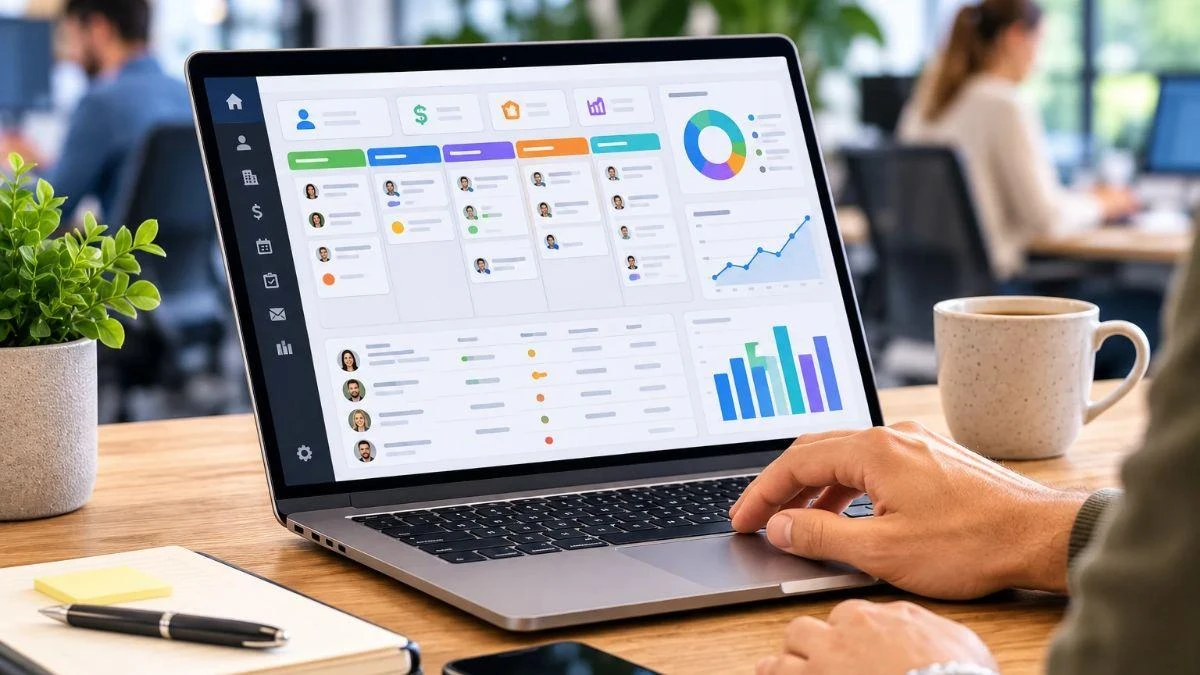
This is where CRM software for small business becomes valuable. A Customer Relationship Management (CRM) system helps businesses organize customer information, manage sales activities, automate repetitive tasks, and build stronger customer relationships.
However, choosing the right CRM isn't always easy. There are hundreds of CRM solutions available, each offering different features, pricing plans, integrations, and customization options.
So, how do you find the right solution for your business?
In this guide, we'll explain how to choose the right CRM, which features matter most, what to consider before purchasing, and how the right customer management software can support long-term business growth.
What Is CRM Software?
CRM stands for Customer Relationship Management. It refers to software that helps businesses manage interactions with existing customers and potential clients.
A CRM system stores important customer information in one centralized location, allowing teams to track leads, monitor sales opportunities, manage communication, and improve customer experiences.
For example, when a potential customer contacts your business through your website, social media, or email, your CRM can help record their information, assign the lead to a salesperson, and schedule a follow-up.
Common CRM software functions include:
- Customer contact management
- Lead tracking and management
- Sales pipeline monitoring
- Email and communication tracking
- Marketing automation
- Customer support management
- Sales reports and analytics
- Task and follow-up reminders
Instead of maintaining separate spreadsheets and customer records, businesses can manage their relationships through one organized platform.
Why Does Your Business Need a CRM System?
Whether you operate a startup, small business, or established company, managing customer information efficiently is essential.
Without a proper system, businesses can lose leads, miss follow-ups, duplicate customer records, and struggle to understand their sales performance.
Here are some important reasons to invest in customer management software.
1. Organize Customer Information
A CRM keeps customer details, contact information, purchase history, and previous interactions in one place.
Your team can quickly access customer records without searching through multiple spreadsheets, emails, or messaging applications.
2. Improve Lead Management
Not every potential customer is ready to purchase immediately. Some require additional information, follow-ups, or multiple conversations before making a decision.
CRM software allows businesses to track leads through different sales stages and identify which opportunities need attention.
3. Increase Sales Productivity
Sales teams often spend considerable time performing administrative tasks.
CRM automation can reduce repetitive work by scheduling reminders, updating records, assigning leads, and generating reports.
4. Improve Customer Retention
Maintaining existing customer relationships is just as important as finding new customers.
With a CRM system, businesses can monitor previous interactions, understand customer requirements, and provide more personalized support.
5. Make Better Business Decisions
CRM dashboards provide useful information about sales activities, lead sources, conversion rates, and team performance.
These insights help business owners identify opportunities and make informed decisions.
How to Choose the Right CRM Software for Small Business
Selecting the right CRM requires understanding your business requirements rather than simply choosing software with the most features.
Here are eight important factors to consider before making your decision.
1. Identify Your Business Requirements
Start by identifying the problems you want your CRM to solve.
Different businesses have different customer management requirements. For example, a real estate company may need property inquiries and appointment tracking, while an eCommerce business may prioritize customer purchase history and marketing automation.
Ask yourself:
- Do you need to manage customer contacts?
- Do you receive leads from multiple platforms?
- Do you need sales pipeline management?
- Does your team require automated follow-ups?
- Do you need customer support and service tracking?
- Do you want detailed sales reports?
Create a list of essential requirements before comparing CRM solutions.
2. Check Essential CRM Features
Not every business needs advanced CRM functionality. However, some features are important for almost every growing company.
The following table explains the features worth considering.
| CRM Feature | What It Does | Business Benefit |
|---|---|---|
| Contact Management | Stores customer information | Organized customer records |
| Lead Management | Tracks potential customers | Fewer missed opportunities |
| Sales Pipeline | Monitors sales stages | Better sales visibility |
| Task Automation | Automates repetitive activities | Saves time |
| Email Integration | Connects business emails | Centralized communication |
| Reporting & Analytics | Tracks business performance | Better decisions |
| Mobile Access | Provides CRM access on smartphones | Flexible working |
| Customer Support | Tracks customer issues | Improved customer service |
| Marketing Automation | Automates marketing activities | More efficient campaigns |
| Customization | Adapts CRM to business workflows | Better business fit |
Tip: Prioritize features your employees will actually use. Paying for advanced functionality that your business doesn't need can increase costs without delivering meaningful value.
3. Compare CRM Pricing and Total Costs
Budget is an important consideration when selecting CRM software for small business.
Some platforms offer free plans, while others charge monthly or annual subscription fees depending on users, features, storage, and automation requirements.
However, the subscription price isn't the only expense.
Consider these potential costs:
- Monthly or annual subscription
- Additional user licenses
- Premium features and add-ons
- Data migration
- Customization and implementation
- Employee training
- Third-party integrations
- Technical support
CRM Pricing Comparison
| CRM Pricing Model | Suitable For | Things to Consider |
|---|---|---|
| Free CRM | Startups and small teams | User and feature limitations |
| Per-User Subscription | Growing businesses | Costs increase with team size |
| Tier-Based Pricing | Businesses needing advanced features | Premium functionality may cost extra |
| Custom CRM Development | Businesses with specific workflows | Initial development and maintenance costs |
Don't automatically choose the cheapest option. Evaluate the total cost against the value and functionality your business receives.
4. Look for Integration Capabilities
Your CRM should work smoothly with the tools your business already uses.
For example, if your company receives inquiries through websites, email, WhatsApp, Facebook, and Instagram, you may want a CRM that can connect these communication channels.
Important integrations to consider include:
- Email platforms such as Gmail and Outlook
- WhatsApp Business Platform
- Website contact forms
- Facebook and Instagram lead forms
- Google Workspace
- Accounting and invoicing software
- Payment gateways
- eCommerce platforms
- Marketing automation tools
Before purchasing, verify whether integrations are native, available through third-party connectors, or require custom API development.
A CRM that connects your existing systems can reduce manual work and improve information sharing across departments.
5. Choose an Easy-to-Use CRM
A CRM can have excellent features, but it won't deliver much value if your employees find it difficult to use.
Look for a platform with:
- Simple navigation
- Clean and understandable dashboards
- Easy customer data entry
- Quick lead updates
- Clear sales pipeline views
- Mobile-friendly access
- Useful training resources
Consider involving your sales and customer support teams when evaluating different platforms.
Request a demonstration or use a free trial to test actual business activities before making a final decision.
6. Consider Security and Data Protection
Your CRM may contain sensitive customer information, including names, phone numbers, email addresses, business details, and purchase records.
Therefore, security should be a priority when evaluating CRM solutions.
Look for the following security features:
- Data encryption
- Role-based access controls
- Multi-factor authentication
- Regular backups
- Secure authentication
- Activity logs
- Data export options
- Privacy and compliance documentation
Also, check where customer data is stored, how it is processed, and what happens when you cancel your subscription.
For businesses handling international customer information, review applicable data protection requirements before selecting a provider.
7. Evaluate Scalability and Customization
Your business requirements will change as your company grows.
A CRM that works for five employees today should ideally support additional employees, customer records, departments, and workflows in the future.
Consider whether the platform supports:
- Additional users and departments
- Custom fields and customer records
- Multiple sales pipelines
- Advanced automation
- API integrations
- Custom reports
- Different permission levels
- Additional business locations
If your business follows unique processes, consider whether a customizable CRM or custom-built solution would be more suitable than a standard platform.
8. Check Customer Support and Implementation
CRM implementation involves more than creating an account.
You may need to import existing customer records, configure sales stages, connect third-party applications, and train employees.
Before choosing a provider, evaluate:
- Technical support availability
- Implementation assistance
- Documentation and tutorials
- Data migration support
- Training resources
- System maintenance
- Response times
A provider that offers reliable support can make CRM adoption much easier, particularly for businesses using CRM software for the first time.
Types of CRM Software: Which One Is Right for Your Business?
CRM systems generally fall into different categories depending on their primary purpose.
Understanding these categories can help you select the right customer management software.
| CRM Type | Primary Purpose | Best For |
|---|---|---|
| Operational CRM | Automates sales, marketing, and customer service processes | Businesses managing daily customer interactions |
| Analytical CRM | Analyzes customer data and business performance | Companies relying on data-driven decisions |
| Collaborative CRM | Shares customer information across departments | Businesses with multiple teams |
| Strategic CRM | Focuses on long-term customer relationships | Businesses prioritizing customer retention |
Some CRM platforms combine all four approaches, while others specialize in particular business functions.
For small businesses, an operational CRM with contact management, lead tracking, and basic reporting is often a practical starting point.
CRM Software Comparison: What Should You Compare?
When evaluating different CRM platforms, don't compare them only by brand name or subscription price.
Compare their capabilities against your actual business requirements.
The following table provides a practical evaluation framework.
| Comparison Factor | Basic CRM | Advanced CRM | Custom CRM |
|---|---|---|---|
| Contact Management | Basic | Advanced | Fully customizable |
| Lead Tracking | Basic | Advanced | Based on requirements |
| Sales Automation | Limited | Extensive | Custom workflows |
| Reporting | Standard | Advanced analytics | Custom dashboards |
| Integrations | Limited or standard | Extensive options | API-based integrations |
| Customization | Limited | Platform-dependent | Extensive |
| Implementation | Usually simple | May require setup | Requires development |
| Best For | Startups | Growing businesses | Specialized workflows |
Which option should you choose?
- Choose a basic CRM if you need simple customer records and lead tracking.
- Choose an advanced CRM if you need automation, integrations, and detailed reporting.
- Choose a custom CRM if your business requires unique workflows, specialized dashboards, or integrations that existing platforms cannot adequately support.
Best CRM Software Options for Small Businesses
There isn't one CRM that works perfectly for every business. Your ideal choice depends on your team size, budget, industry, and required functionality.
Here are some established CRM platforms worth evaluating.
1. HubSpot CRM
HubSpot CRM is a popular option for businesses looking for contact management, sales tracking, marketing tools, and customer communication features.
Best for: Startups and businesses looking for an accessible CRM ecosystem.
Website: https://www.hubspot.com/products/crm
2. Zoho CRM
Zoho CRM offers sales automation, lead management, workflow customization, reporting, and integration options.
Best for: Small and growing businesses looking for customizable business management features.
Website: https://www.zoho.com/crm/
3. Salesforce
Salesforce offers extensive CRM capabilities, including sales management, customer service, automation, analytics, and enterprise integrations.
Best for: Growing companies and organizations with more complex CRM requirements.
Website: https://www.salesforce.com/crm/
4. Pipedrive
Pipedrive focuses on visual sales pipeline management, helping sales teams organize deals and monitor opportunities.
Best for: Businesses with sales-focused teams.
Website: https://www.pipedrive.com/
5. Freshsales
Freshsales provides sales CRM functionality, contact management, automation, and communication features.
Best for: Small and medium-sized businesses looking for sales management tools.
Website: https://www.freshworks.com/crm/sales/
Important: Features, free-plan availability, integrations, and pricing can change. Visit the official websites to compare current plans before purchasing.
When Should You Consider Custom CRM Development?
Pre-built CRM platforms are suitable for many businesses. However, some companies have specific requirements that standard software cannot fully accommodate.
For example, a real estate business may require property management alongside customer records, while a distribution company may need inventory, order processing, and customer management in one connected system.
Custom CRM development may be worth considering when:
- Your business has unique operational workflows.
- You need specialized dashboards and reporting.
- Existing CRM platforms lack required functionality.
- You need integrations with internal business software.
- You want greater control over system functionality.
- Your business needs a CRM connected to other custom applications.
A custom-built solution can be designed around your actual business processes rather than forcing your team to adapt to a standard platform.
If you are exploring custom business software, check out Sizaria Technologies' web development services.
Businesses that need mobile access can also explore mobile app development services.
How to Successfully Implement CRM Software
After selecting the right CRM, the next step is implementing it correctly.
A poorly configured CRM can create confusion, duplicate records, and unnecessary work.
Follow these steps for a smoother implementation.
Step 1: Prepare Your Customer Data
Collect existing customer information from spreadsheets, email platforms, and other systems.
Remove duplicate records and organize information before importing it.
Step 2: Configure Your Sales Pipeline
Define the stages through which your leads move.
For example:
- New Lead
- Contacted
- Qualified
- Proposal Sent
- Negotiation
- Converted
- Lost
Customize these stages according to your business sales process.
Step 3: Set User Roles and Permissions
Assign access according to employee responsibilities.
For example, sales representatives may manage leads, while managers can access broader sales reports and performance dashboards.
Step 4: Connect Business Applications
Integrate your CRM with relevant email accounts, website forms, communication channels, and other business applications.
Test each integration to ensure customer information is transferred correctly.
Step 5: Train Your Employees
Explain how to add contacts, update leads, schedule follow-ups, and generate reports.
Encourage employees to use the CRM consistently.
Step 6: Monitor Performance
Track important metrics such as:
- Number of new leads
- Lead response time
- Sales conversion rate
- Follow-up completion
- Customer retention
- Sales revenue
Review these metrics regularly and improve your CRM workflows when necessary.
Common Mistakes to Avoid When Choosing CRM Solutions
Even a good CRM platform can become a poor investment if you select or implement it incorrectly.
Avoid these common mistakes:
| Common Mistake | Why It's a Problem | Better Approach |
|---|---|---|
| Choosing based only on price | Essential features may be missing | Compare total value |
| Buying unnecessary features | Increases subscription costs | Prioritize actual requirements |
| Ignoring integrations | Creates manual work | Check compatibility first |
| Overlooking security | Puts customer information at risk | Evaluate security controls |
| Skipping employee training | Reduces CRM adoption | Provide proper onboarding |
| Ignoring future growth | May require an expensive migration | Evaluate scalability |
| Not testing the software | Important limitations may go unnoticed | Use a free trial or demo |
The right CRM should simplify your operations, improve customer management, and support your business objectives.
Final Thoughts
Choosing the right CRM software for small business is an important step toward building stronger customer relationships and improving business operations.
Before making a decision, identify your requirements, compare essential features, evaluate pricing, check integrations, and test the platform with real business workflows.
A simple CRM with the right functionality can be more valuable than an expensive platform filled with features your team never uses.
For businesses with specialized requirements, custom software development can provide additional flexibility and connect customer management with existing business operations.
At Sizaria Technologies, we help businesses explore technology solutions that support efficiency, automation, and long-term growth.
Need a customized business software solution?Contact Sizaria Technologies to discuss your requirements.
Frequently Asked Questions (FAQs)
1. What is the best CRM software for small business?
The best CRM depends on your business requirements, budget, and team size. HubSpot CRM, Zoho CRM, Pipedrive, Freshsales, and Salesforce are popular options worth comparing.
2. Is CRM software necessary for small businesses?
CRM software isn't mandatory, but it can make customer management significantly easier. It helps businesses organize customer records, track leads, manage follow-ups, and improve sales visibility.
3. What features should small business CRM software have?
A small business CRM should ideally include contact management, lead tracking, sales pipeline management, task reminders, reporting, email integration, and basic automation.
4. Is free CRM software good for small businesses?
Yes. Free CRM software can be a useful starting point for startups and small teams. However, free plans may have limitations on users, automation, storage, reporting, and integrations.
5. What is the difference between CRM and customer management software?
CRM and customer management software generally refer to systems that organize customer information and interactions. CRM platforms often include additional capabilities such as sales automation, lead management, reporting, and marketing integration.
6. How much does CRM software cost?
CRM pricing varies depending on the provider, number of users, features, and subscription plan. Some providers offer free plans, while advanced platforms charge monthly or annual fees. Custom CRM development has separate project-based costs.
7. Can CRM software integrate with WhatsApp?
Yes. Some CRM platforms support WhatsApp Business integration through native features or third-party connectors. Others may require custom API integration using the WhatsApp Business Platform.
8. Should I choose a ready-made CRM or custom CRM development?
Choose ready-made CRM software if your requirements are standard and its features meet your needs. Consider custom CRM development if you need specialized workflows, unique integrations, or greater control over functionality.
9. How long does CRM implementation take?
Implementation time depends on business size, data migration, integrations, customization, and employee training. A basic setup may take a few days, while complex implementations can take several weeks or longer.
10. How does CRM improve sales?
CRM improves sales by organizing leads, tracking opportunities, automating follow-ups, providing customer information, and helping sales teams prioritize potential customers.
Related Resources: Explore more technology, SEO, and business growth insights on the Sizaria Technologies Blog.
Ready to improve your business operations? Visit Sizaria Technologies Services to explore our software development and digital solutions.







Leave a comment